How to Fix SEUS Renewed Shader Errors: Black Screen & Compilation Fix
If you are trying to run the legendary SEUS Renewed on modern versions of Minecraft, you have likely encountered a frustrating "Shader Compilation Error" or a complete black screen. Because this shader has not been updated in a long time, certain atmospheric scattering codes are no longer compatible with modern graphics drivers.
Fortunately, you can fix this manually by editing a single file. Follow this step-by-step guide to get your cinematic visuals back.
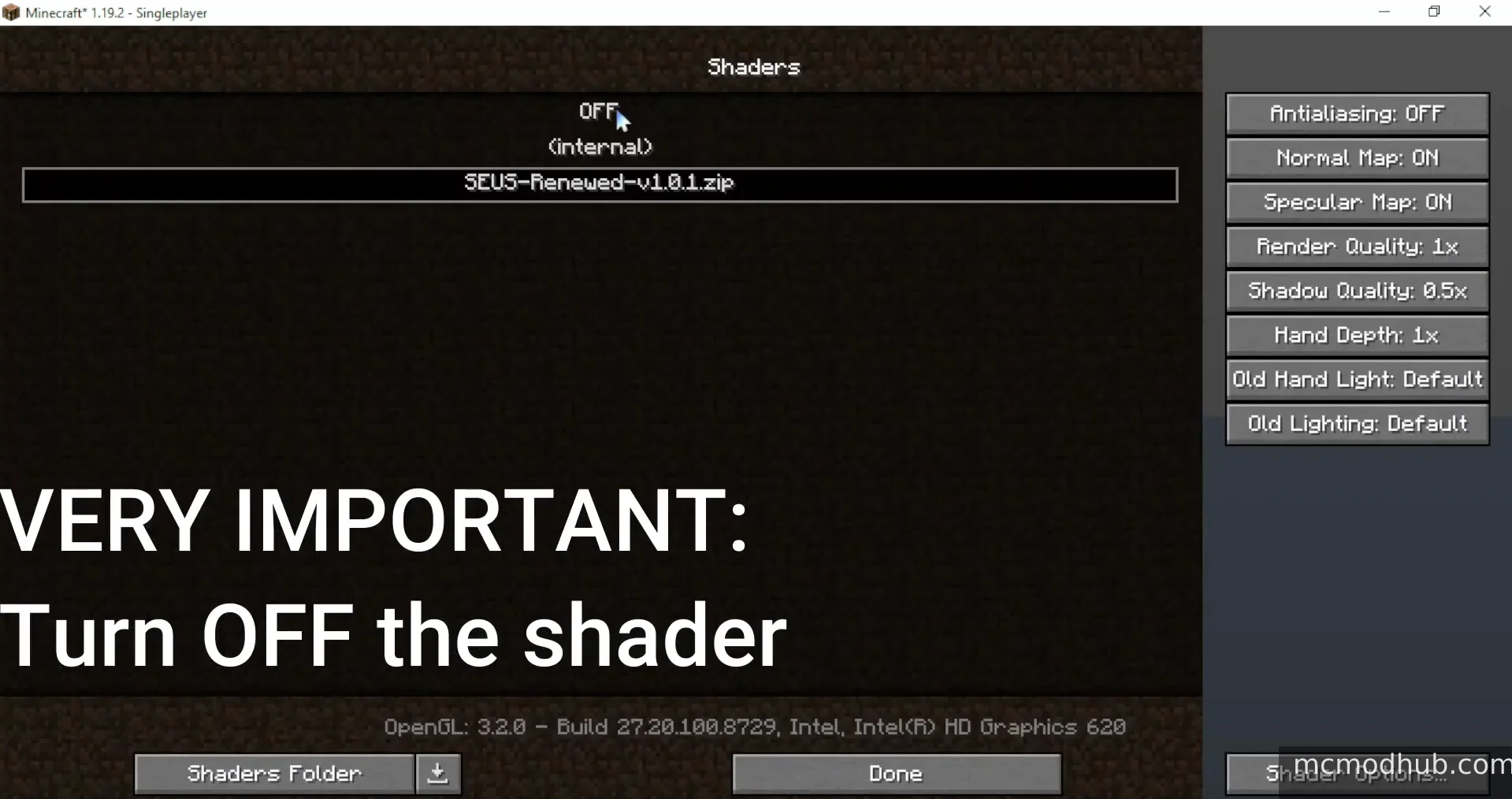
⚠️ Step 0: VERY IMPORTANT – Turn OFF the Shader
Before you touch any files, you must turn off the shader inside Minecraft.
Go to Options > Video Settings > Shader Packs.
Set the shader to "OFF" or "Internal".
Why? Editing a shader file while it is active can cause a "File in Use" error in Windows or, worse, corrupt the entire shader archive.
Step 1: Access the Shader Source Files
Open your Shader Packs folder through the Minecraft menu.
Locate the
SEUS-Renewed-v1.0.1.zipfile.Right-click the zip file and select "Open with..." (use WinRAR or 7-Zip). Do not extract the folder, just browse the archive.
Navigate to the following path inside the zip:
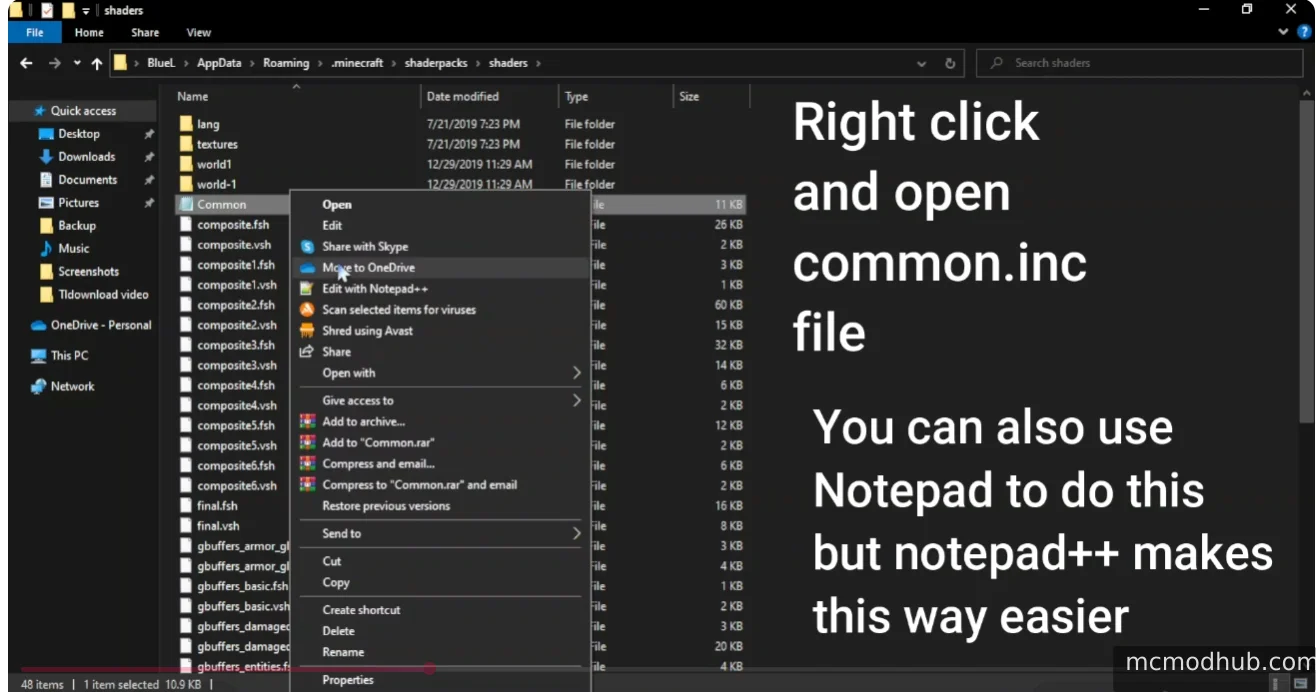
shaders>Common.inc.
Step 2: Edit the Common.inc File
Now, you need to find and modify the broken lines of code.
Right-click the Common.inc file and select Edit.
Pro-tip: While you can use standard Notepad, using Notepad++ makes this much easier as it displays line numbers and colors the code for better visibility.
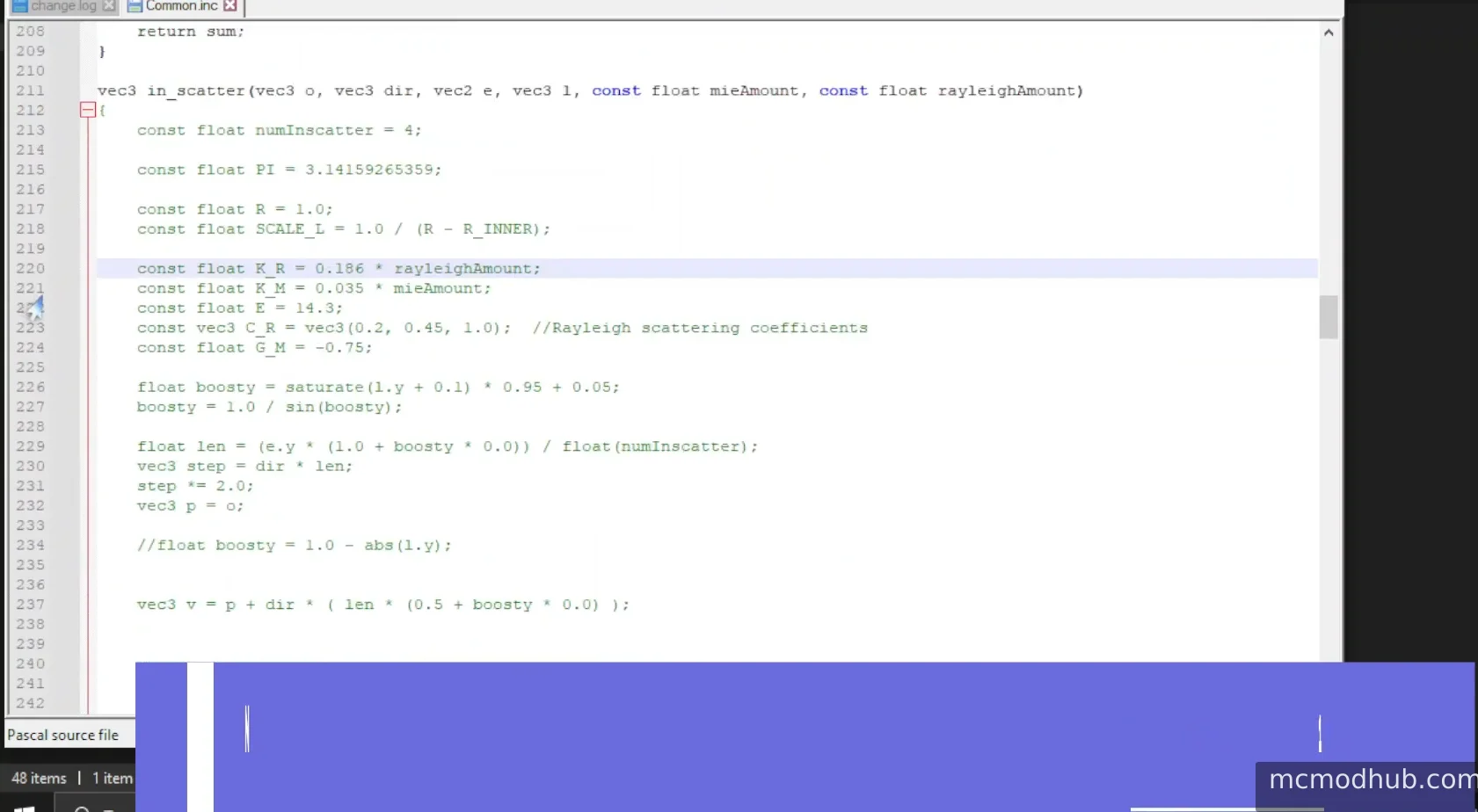
Scroll down or use
Ctrl + Fto find the following section (usually around line 220):
const float K_R = 0.186 * rayleighAmount;const float K_M = 0.035 * mieAmount;
Step 3: Apply the Technical Fix
To fix the compilation error, you need to "comment out" these two lines. This tells the game's engine to ignore this specific piece of incompatible code.
Change the code to look exactly like this (Add two slashes // at the start):
// const float K_R = 0.186 * rayleighAmount;
// const float K_M = 0.035 * mieAmount;
Alternatively, you can simply delete both lines, but commenting them out is safer if you ever want to revert the changes.
Step 4: Save and Refresh
Save the text file and close your editor.
Your zip software (WinRAR/7-Zip) will ask if you want to update the file inside the archive. Select Yes.
Go back into Minecraft and turn SEUS Renewed back to "ON".
If the game was already running, press F3 + R to force a fresh reload of the fixed shader code.
Troubleshooting & Tips
"Invalid Program" Error: If you see red text in your chat after reloading, go back and check for typos. Ensure you added the slashes correctly.
Compatibility: This fix is specifically designed for modern hardware and works perfectly with Iris Shaders on the Fabric Loader.
Visual Changes: By removing these lines, you are slightly adjusting how the atmosphere scatters light. You might notice a very subtle change in the sky's tint, but this is a necessary trade-off to make the shader functional on modern systems.