Why Your Shaders Break Distant Horizons and How to Fix It Today
The Technical Conflict Between Shaders and Infinite Render Distance
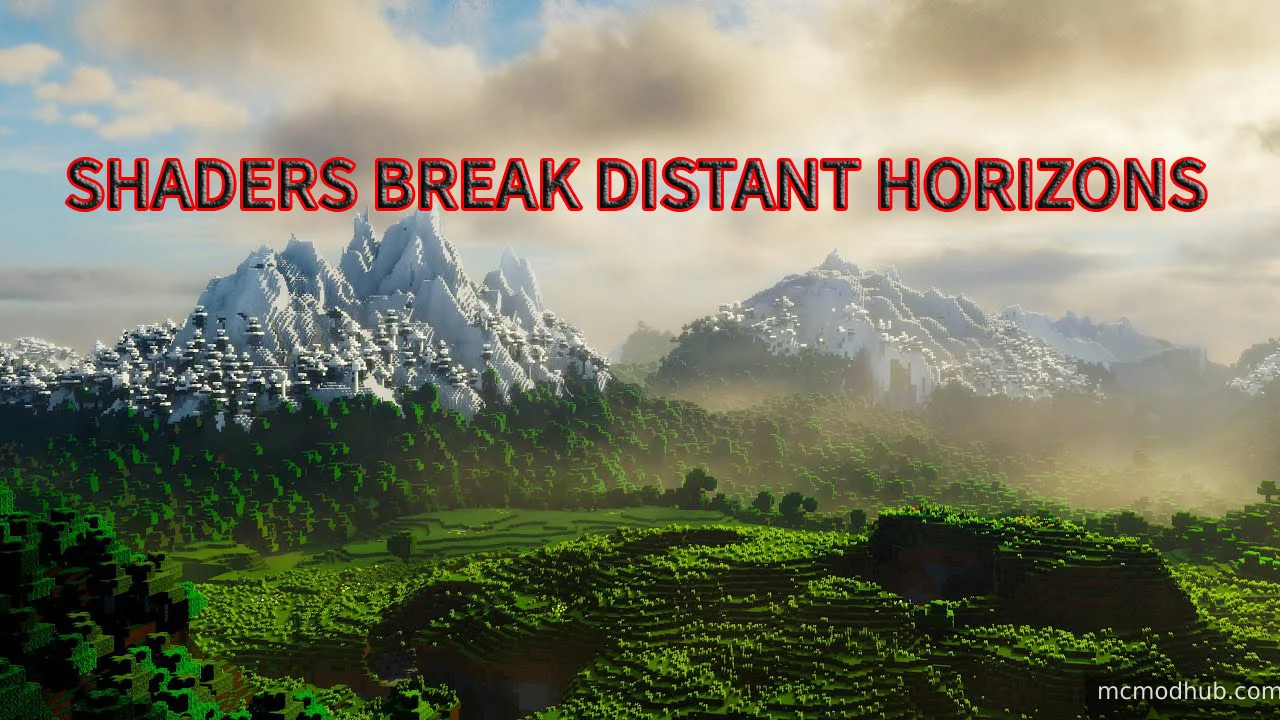
To understand the fix, you first need to understand the problem. Standard shaders are designed to process only the chunks that Minecraft actively loads around the player. When Distant Horizons creates Level of Detail chunks far in the distance, most shader engines do not recognize them as real geometry. This results in the distant mountains looking flat, dark, or completely invisible while the area immediately around you looks beautiful.
The solution requires a specific bridge between the shader code and the Distant Horizons API. Not all shaders are built with this compatibility. If you are using an older shader that has not been updated specifically for Level of Detail support, you will continue to see graphical glitches regardless of how powerful your graphics card is.
Choosing the Correct Foundation for Your Setup
- The first step in fixing your visual issues is moving away from outdated platforms. You must ensure you are using the latest version of the Iris Shaders mod rather than Optifine. Iris is built on modern rendering techniques that allow it to communicate directly with Distant Horizons. Without this foundation, no amount of setting adjustments will fix the flickering or the missing terrain in the distance.
- Once you have the Iris mod installed, you need to select a shader that officially supports the Distant Horizons API. Currently, Bliss Shader and Complementary Reimagined are the top performers in this category. These developers have written specific code that tells the shader how to apply light, shadows, and fog to the distant terrain just as it does to the blocks right in front of you.
How to Configure Your System for Maximum Visual Quality
After installing a compatible shader, you must adjust the internal settings to activate the support. When using Complementary Reimagined, you should navigate to the shader options menu and look for the World settings. Inside this menu, you will find a dedicated toggle for Distant Horizons or Level of Detail support. Enabling this is the most critical step as it synchronizes the lighting engine with the distant geometry.
Another essential adjustment involves the fog settings. Many shaders use a heavy fog that cuts off at a certain distance, which ruins the effect of seeing miles away. You should set the fog density to a lower value and ensure the fog start distance is pushed back as far as possible. This creates a realistic atmospheric haze that allows the massive scale of the world to remain visible while still feeling immersive.
Fine Tuning Performance for High Frame Rates
Running both a shader and infinite render distance is a heavy task for any computer. To keep your experience smooth, you should adjust the Distant Horizons CPU preset to the balanced or low impact setting. This frees up processing power for the shader to handle complex lighting calculations. Within the shader settings themselves, lowering the shadow resolution to a medium level often provides a significant boost in performance without a noticeable loss in visual quality.
It is also vital to check your memory allocation before launching the game. Because of the massive amount of data being rendered, your game requires at least 8GB of dedicated RAM. You can easily change this in your launcher settings to prevent the memory spikes that often cause the game to freeze or crash when you are traveling quickly across new biomes.
The Future of Immersive Minecraft Exploration
The combination of high end shaders and Distant Horizons represents the future of Minecraft visuals. While it takes a bit of technical fine tuning to get the settings just right, the result is a game that feels completely different from the vanilla experience. You no longer feel trapped in a small bubble of loaded chunks. Instead, you can climb the highest peak and actually see the world stretching out forever.
By choosing a compatible shader and following these optimization steps, you can finally enjoy the best of both worlds. The days of choosing between beautiful lighting and a long render distance are over.